Skyline freezing with glyco-N-DIA output

support
Skyline freezing with glyco-N-DIA output sarah shapley  2026-01-29 09:47
 

Hi Skyline team,

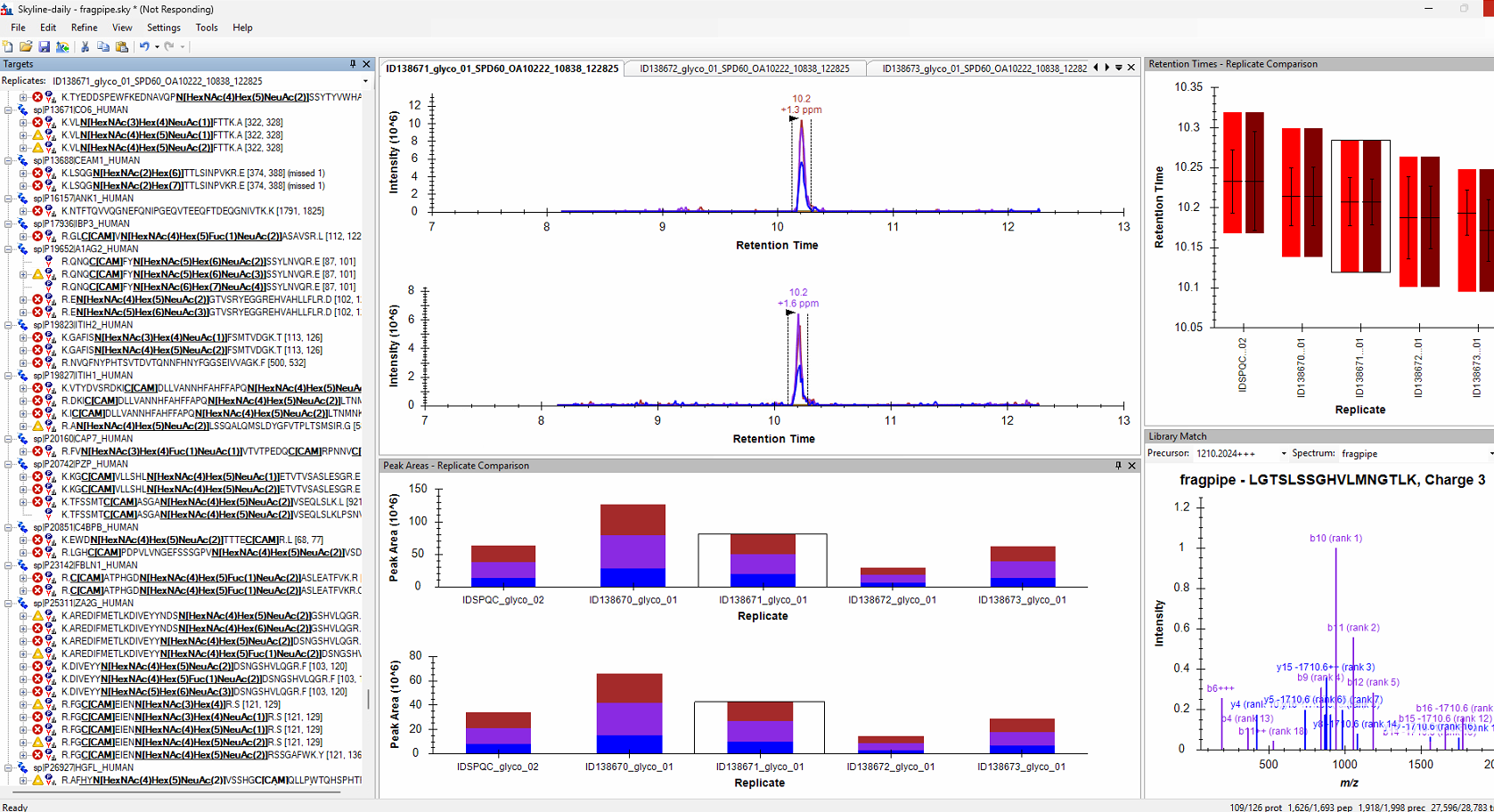
I've been using the glyco-N-DIA workflow from FragPipe for DDA and DIA-quant, leveraging Skyline for visualization and report generation. However, I've noticed that Skyline often freezes and becomes unresponsive when using this workflow, even with a small number of files. We've noticed Skyline particularly becomes non-responsive when expanding on protein groups with increased matching peptides (ex: haptoglobin), making our analysis a bit difficult. I'm curious if there are any tips for reducing the freezing issue or any fixes our there. Happy to share any documents to assist with troubleshooting!


Nick Shulman responded:  2026-01-29 10:09
Can you send us your Skyline document?
In Skyline you can use the menu item:
File > Share
to create a .zip file containing your Skyline document and supporting files including extracted chromatograms.
Files which are less than 50MB can be attached to these support requests. You can always upload larger files here:
https://skyline.ms/files.url

Can you also send us a screenshot of what it looks like when Skyline gets stuck?

After we see your files it is likely we will be able to figure out what Skyline is trying too hard to do.
-- Nick
 
sarah shapley responded:  2026-01-29 13:48
Hi Nick,

I've uploaded the 20260129_fragpipe_glyco_skylineshare.zip under the provided link. The requested screenshot is attached. Skyline eventually recovered after ~1 hr. I wouldn't expect this to be a memory-limited issue on our workstation (256 GB RAM, 28 cores). Please let us know if any other information would be helpful!

-Sarah
 
Nick Shulman responded:  2026-01-29 15:17
Thank you for uploading that Skyline document.

I think Skyline is getting stuck for you when you accidentally click on the inverted triangle next to a protein name and Skyline wants you to show the list of peptides that you could choose. (This is the same window that appears when you right-click on something in the Targets tree and choose "Pick Children").

You can make this much faster by going to the "Modifications" tab at "Settings > Peptide Settings" and changing "Max Variable Mods' to "1" (it's currently set to "3").
As far as I can tell none of the peptides in this document have more than 1 variable modification, so changing that number to 1 will not cause anything to disappear from the document.

This document appears to have 250 variable modification types defined. When Skyline is trying to bring up the child picker for a big protein, Skyline spends a lot of time considering all possible combinations of 3 modifications on each tryptic peptide, and then checking whether there is a modified peptide like that in the spectral library.
Setting the max variable mods to 1 will greatly reduce the work Skyline has to do.

There was another user who had a similar problem and needed to set Max Variable Mods to 1:
https://skyline.ms/home/support/announcements-thread.view?rowId=73050
-- Nick