You should go to:
Refine > Advanced
and then check the checkbox next to "Auto select all ... Transitions".
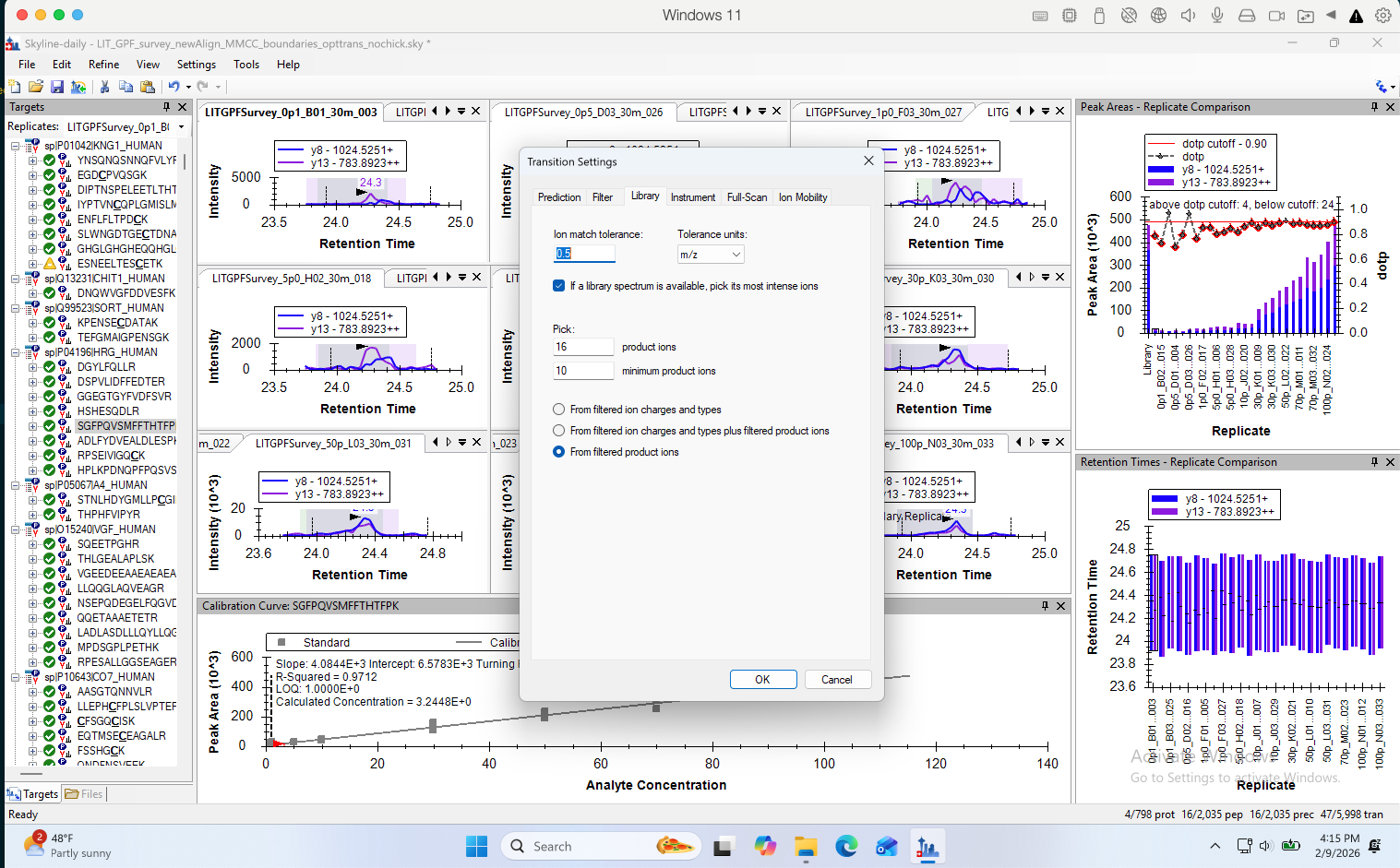
For everything in the Targets tree, Skyline remembers whether the user made a change to which children a node in the tree has. If the user made a change, then it gets put into a state where the user is responsible for choosing which children that item has. The rules in the "Transition Settings" only apply to things that the user did not make changes to. If you right-click on one of the things in that tree and choose "Pick Children", there is a button which has a magic wand on it. When that button is selected, Skyline will apply the rules in Transition Settings to decide which transitions should be there. If the button is not selected, then you have to choose the children using the checkbox, or you could push the magic wand button to tell Skyline to use the Transition Settings rules.
If you check that "Auto select all ... Transitions" checkbox in the Refine > Advanced dialog then everything will get put back into the state where "Auto Select Transitions" is true.
-- Nick |
A follow-up question after I auto-selected the fragments.
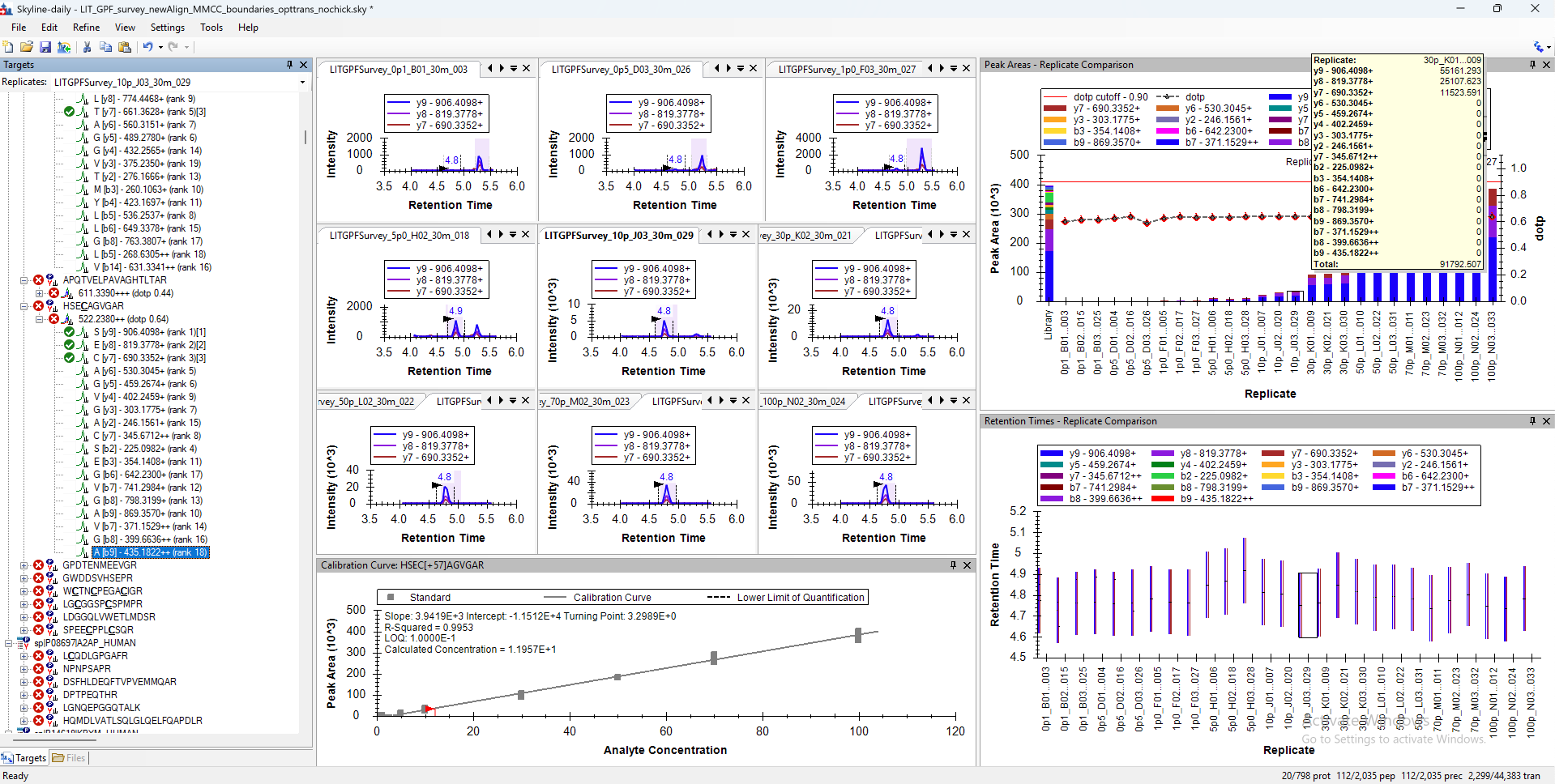
I set the maximum number of product ions to 50 and the minimum product ions to 1. Theoretically, all fragments for each peptide should therefore be extracted, and indeed the list under each target tree is quite long. However, after exporting the chromatograms, I found that the number of fragments with XICs is still low, with a maximum of only 6.
Here is the distribution of fragment numbers:
{2: 810, 3: 25,272, 4: 132,624, 5: 30,915, 6: 40,662}.
I also checked the fragment areas in the Peak Areas view for each peptide, and many of them are 0. Does this mean that those fragments are truly flat at the baseline, or are there settings I can adjust to allow low-intensity (near-noise-level) fragments to have non-zero areas?
Since this is a PRM dataset, having a maximum of only 6 fragments per precursor seems a bit low to me. Thank you very much! |
 Screenshot 2026-02-09 at 4.15.37 PM.png
 Screenshot 2026-02-10 at 3.21.15 PM.png