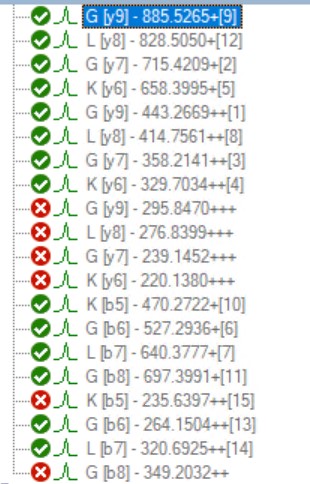
Unchecked "Quantitative" option for the fragment ion but included the area values in an export file

support
Unchecked "Quantitative" option for the fragment ion but included the area values in an export file leehyoungjoo  2026-01-26 13:25
 

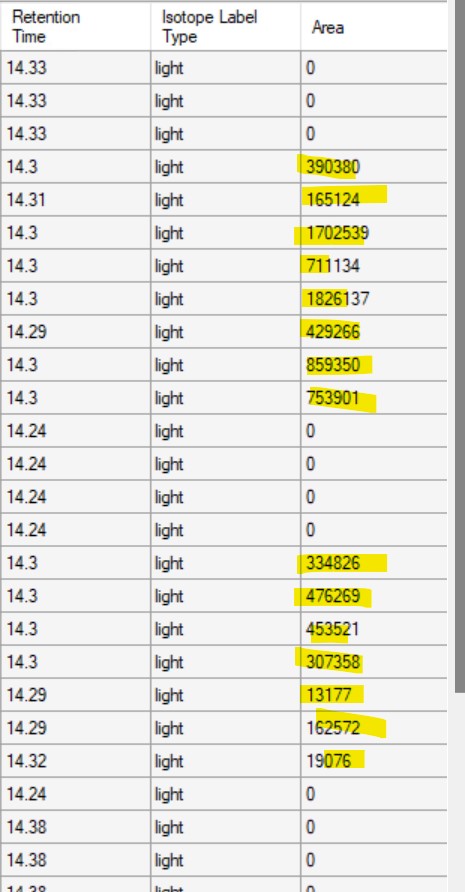
I am counting fragment ions from the transition list export. The number of matched ions is determined by counting the fragment ions with an area greater than zero. Since the product ions of some peptides overlap with co-eluting peptides, those product ions are excluded from quantitation by unchecking the "Quantitative" option for the corresponding fragment ions. However, the area values of the unchecked fragment ions are still included in the export
Is there a way to exclude unchecked fragment ions from export in the Skyline template without physically deleting them, or any advice?
 
 
Nick Shulman responded:  2026-01-26 13:59
The "Quantitative" property controls whether that transition's area is included in roll-up values such as the "Total Area" on the Precursor or the "Normalized Area" on the Peptide.
But when Skyline is showing you the transition on its own, Skyline will always tell you that transition's area.

One thing that you could do is apply a filter to your report so that it does not include rows for non-quantitative transitions.
The other thing you could do is include the "Quantitative" column in your report which indicates whether the Transition was marked as non-quantitative or now.
-- Nick